
Pause first. Change one thing.
Start the Sandspiel player, select its Pause control, and use Reset for a clean canvas. Draw your containers and materials while paused. Resume to observe the interaction, then pause again when you want to compare.
The brush paints into empty space. To replace a material, erase it first. Wall is useful for separating comparisons; leave enough room for falling or flowing material to move.
The images below come from this local edition, based on source revision 9936e06. Each pair shows an actual controlled run: before on the left, after on the right. Our test placed exact shapes through the game’s paint function and advanced normal simulation steps. Your brush strokes, outlines and timing will vary.
These are experiments in ordinary Sandspiel. They are not crafting recipes, guaranteed reaction times, or instructions for Sandspiel Studio.
1. Let sand fall through water
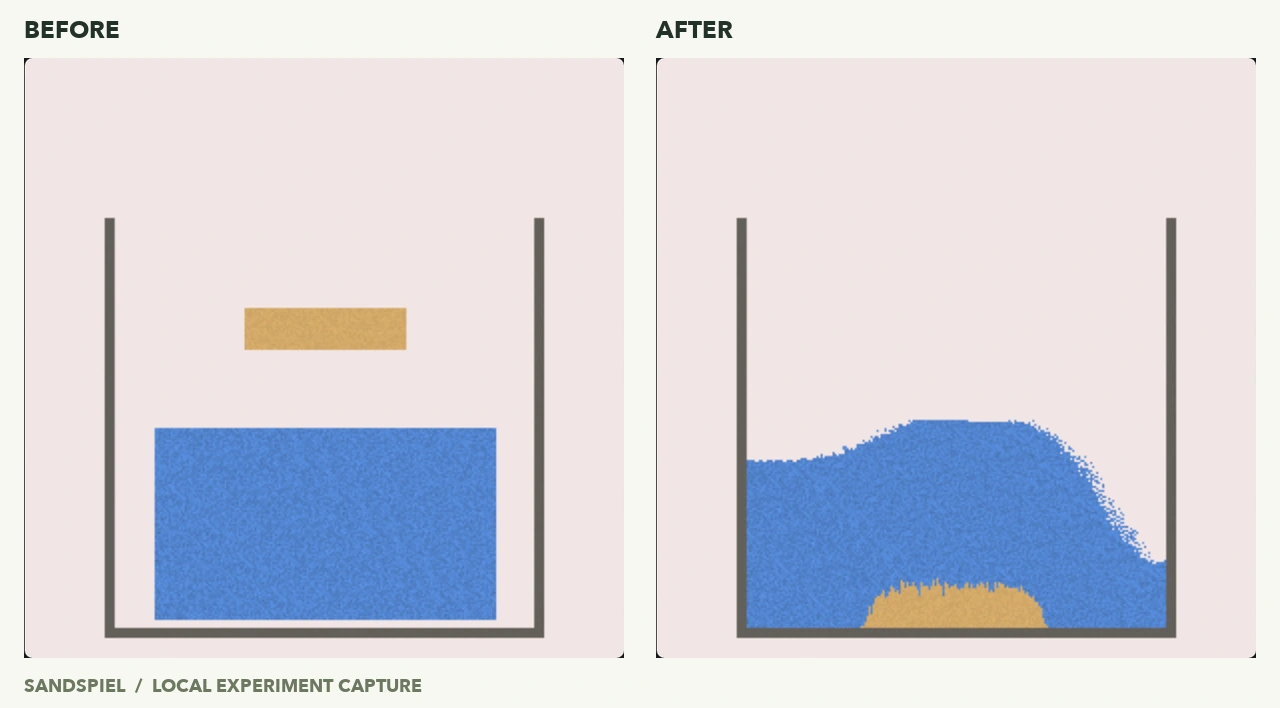
Draw a U-shaped Wall tank with a solid floor. Fill the lower half with Water, then paint a short stripe of Sand above the water. Resume and watch where each material ends up.
In our run, the sand passed through the water and collected along the bottom. The amount of sand and water stayed the same at the measured checkpoint; this was material moving, not a recipe that created a new element.
If the materials disappear off-screen, close the floor and sides of your tank. Keep the sand stripe clear of the water while setting up so the starting arrangement is easy to see.
2. Give one fire patch some water
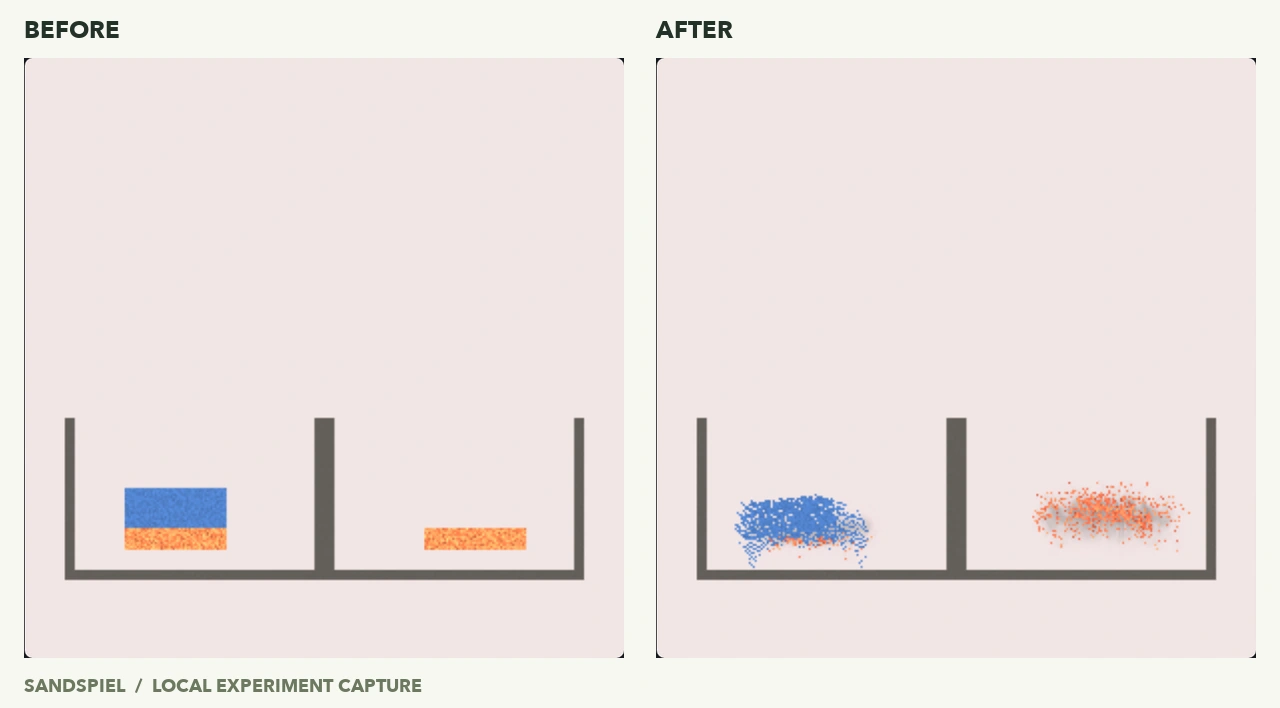
Build two similar compartments over a Wall floor. Draw a small Fire patch in each. Add Water directly above only one patch so the materials touch. Resume briefly and compare both sides at the same moment.
Our equal fire patches began with 561 fire cells each. At the 20-step checkpoint, the wet side had 63 left while the dry side still had 561. Water contact made a clear difference, but some fire remained.
Fire also expires on its own. That is why the dry comparison matters: a disappearing flame by itself does not tell you what the water changed. Do not wait for every fire cell to vanish before making your first comparison.
3. Freeze from the edge of a tank
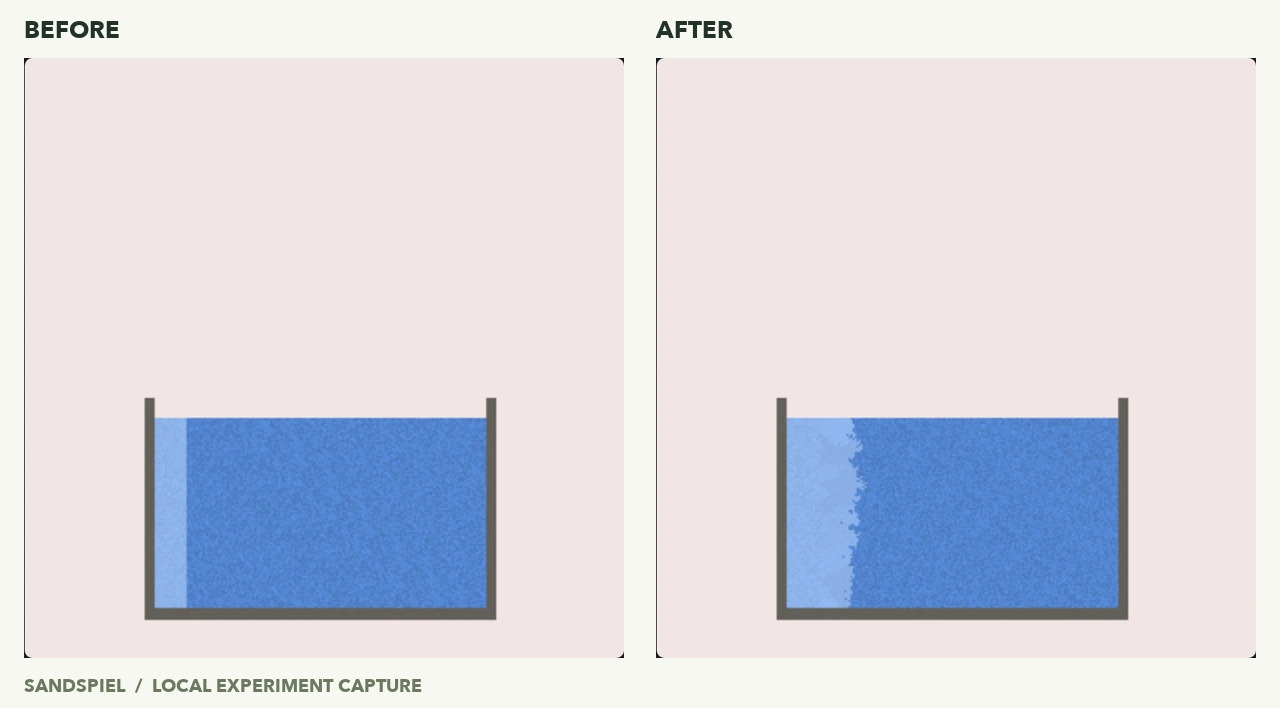
Make a small Wall tank. Draw a vertical stripe of Ice along one inside edge, then fill the adjacent empty area with Water. Place the ice first, leaving room for both materials.
Resume and watch the pale ice boundary. In our run it spread into the neighboring water: ice increased from 1,520 to 3,230 cells over 420 steps. Part of the tank remained liquid.
This setup contained no Fire or Lava. Keep those out if you want to reproduce this comparison before experimenting with heat.
4. Compare a dry plant with a wet one
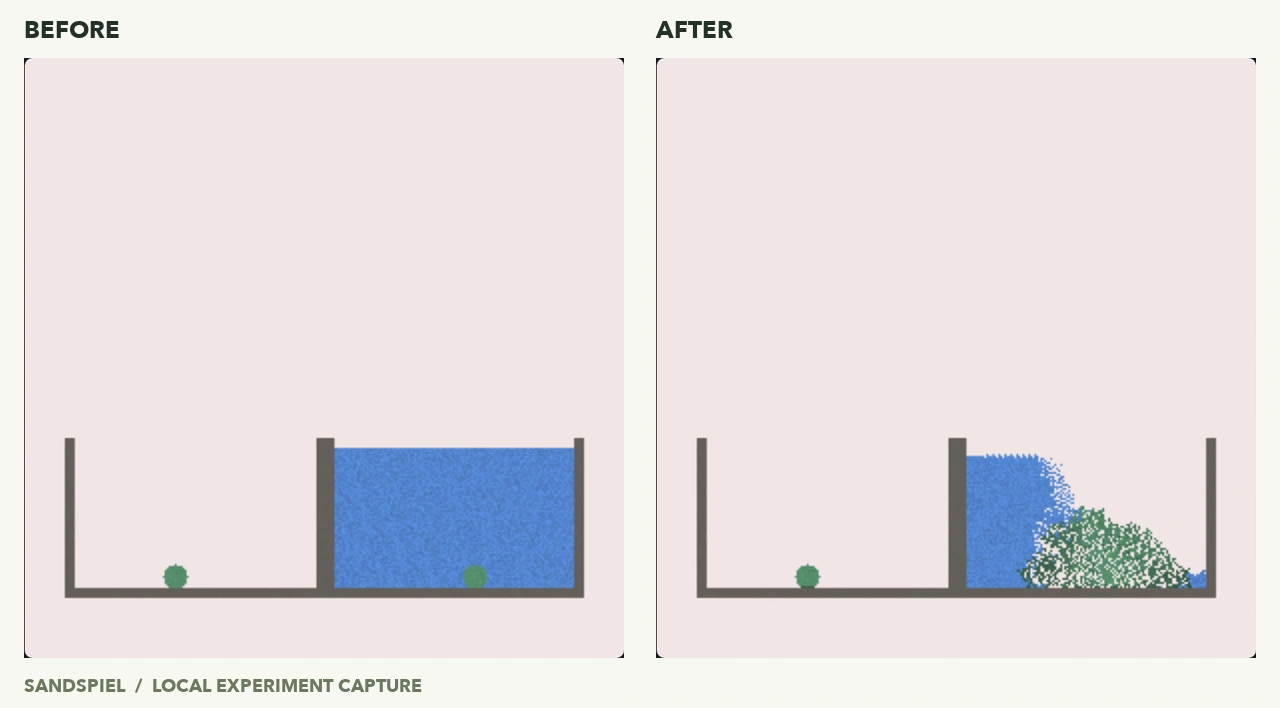
Divide a Wall container into two compartments. Put a small Plant patch on the floor of each, then paint Water around only one patch. Do not add Wood, Fungus, Fire or Lava for this comparison.
The two test patches began with 112 plant cells each. After 420 steps, the dry patch still had 112, while the wet patch had grown to 1,453. The side-by-side scene makes the different growth pattern visible.
That result applies to this setup. It does not mean Plant can never grow in a dry situation: the source has other rules involving support, Wood and Fungus. Change those conditions as a separate experiment.
5. Give Cloner a little sand
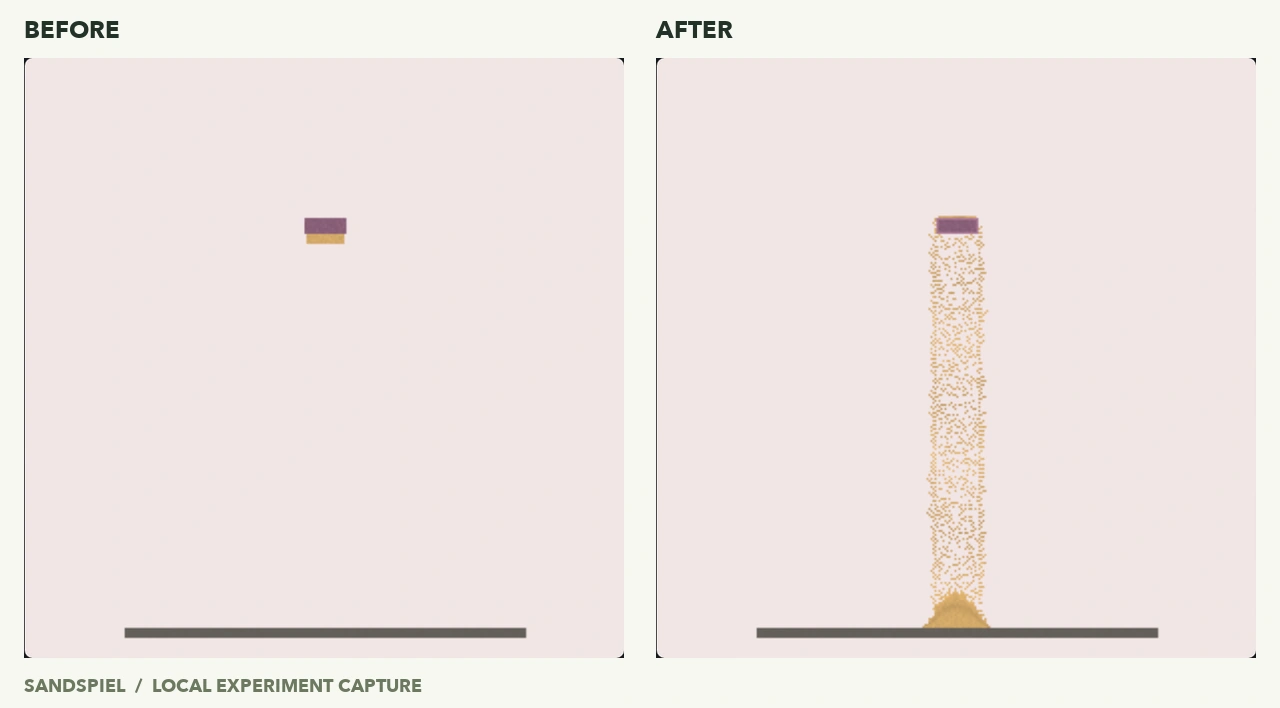
Draw a small Cloner strip high above a Wall floor. Put a little Sand directly against its lower edge, leaving empty space below. Resume and watch the sampled edge.
The test’s sand grew from 95 to 1,621 cells over 240 steps, forming a stream and a pile below. The Cloner itself stayed in place.
Contact is local. Only the cells that sampled sand began making it; touching one edge did not activate every cell in the block. If nothing happens, pause and make sure your sand really touches the cloner.
The source excludes Empty, Cloner and Wall as first samples. This experiment tested Sand; it is not a test of every possible sample or contact order.
6. Compare Rocket with and without a sample
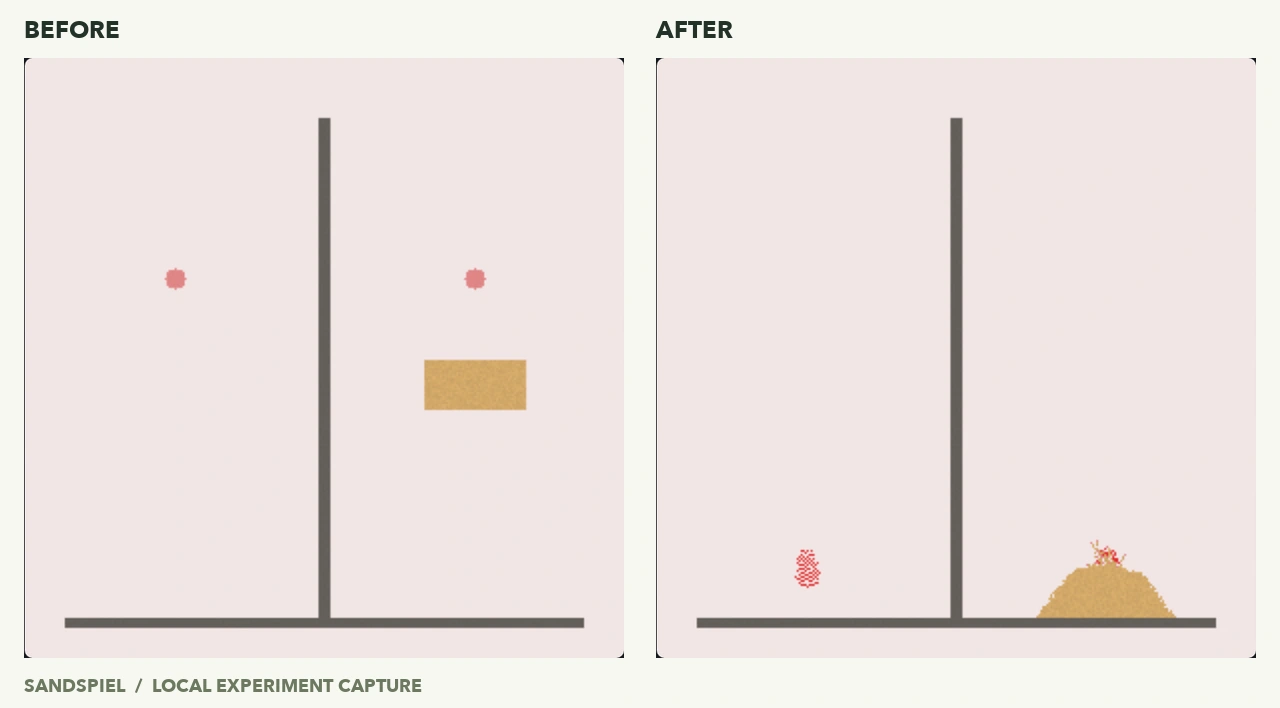
Create two compartments separated by Wall. Put a small Rocket patch above the floor of each. Add a Sand patch below only one Rocket group; leave the other side with Wall and empty space.
In the test, the Wall-only side kept all 81 Rocket cells. On the sand side, some rockets triggered and the amount of sand increased. Some rocket cells remained untriggered at the 150-step checkpoint.
The source makes Rocket respond to a sampled material, travel and leave that material behind before fizzling. Wall alone is excluded as a sample. Do not expect every painted cell to launch at once or every setup to produce the same explosion.
Keep the scene, change the question
Once a setup works, try a smaller brush, a different amount of water, or a second material. Change one condition at a time if you want to understand the result.
Pause to inspect, and use a screenshot if you want a visual record. This player does not import or export resumable scenes, and exiting or reloading clears the canvas.
Updated